CSS
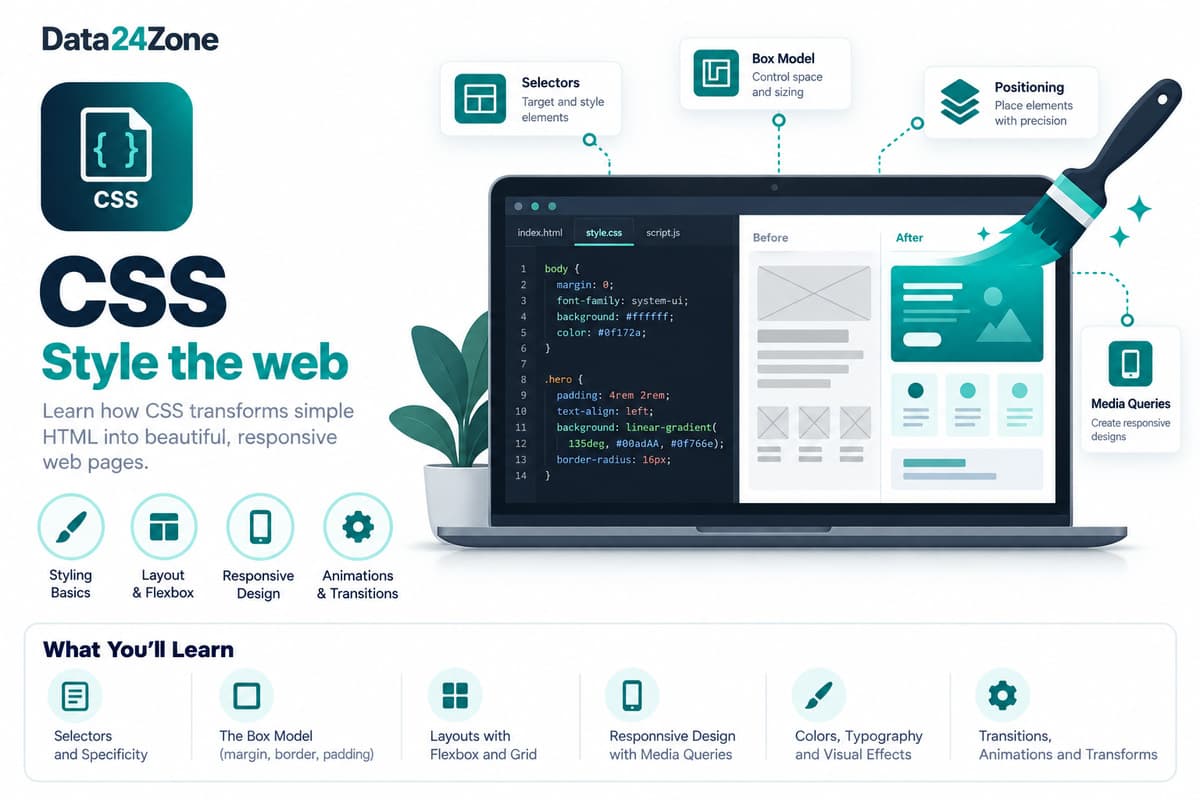
CSS is a free 4-week beginner course covering selectors, the box model, Flexbox, and Grid for building real page layouts. Learners practice responsive design for mobile and desktop and writing maintainable, reusable styles, finishing with a project that defines and verifies a reusable CSS component.
Learn CSS — styling, layout, responsive design, and how to make a web page look the way you want.
What you'll learn
Course details
Duration
4 weeks
Best for
Anyone who wants to style and lay out real web pages
This course is free
Course Curriculum
A module-by-module breakdown of what you'll cover in CSS.
01Basic
4 topicsWeek 1
- Rules, selectors, and the browser's computed style
- Boxes, sizing, and predictable spacing
- Readable type, color, and visible interaction states
- Project: Basic — Style a readable information card
02Intermediate
4 topicsWeek 2
- Flexbox for content-driven rows and wrapping
- Grid for repeatable tracks and content layouts
- Responsive rules, zoom, and logical dimensions
- Project: Intermediate — Build an adaptive lesson dashboard
03Advanced
10 topicsWeek 3
- Selectors and the cascade
- The box model
- Flexible layouts
- Specificity and inheritance
- Responsive rules and readable sizing
- Debug with computed styles
- CSS — Quiz
- Application Questions
- Final Project
- Glossary
04Pro
4 topicsWeek 3
- Cascade layers and component ownership
- Container-aware components and runtime design tokens
- CSS performance, motion preferences, and regression checks
- Project: Pro — Define and verify a reusable CSS component
05AI Pro
3 topicsWeek 4
- Giving AI tools enough evidence to propose CSS
- Verifying AI CSS fixes with computed styles and edge cases
- Project: AI Pro — Repair a responsive layout with documented evidence
Tools & Technologies
Hands-on practice with the same tools used by working professionals.
Communication & Soft Skills
Built into every course, alongside the technical curriculum.
Communication Skills
Practice explaining technical work clearly to teammates, managers, and clients.
Practical AI Skills
Hands-on training in using AI tools well — prompting, everyday workflows, and where AI actually helps versus where it doesn't.
Teamwork & Collaboration
Work in small project teams using real workflows like stand-ups and code reviews.
Problem Solving
Build the habit of breaking down ambiguous problems into clear, solvable steps.
Time Management
Learn to plan, prioritize, and deliver project work against realistic deadlines.
Presentation Skills
Present your project work and results with confidence, as you would to a client.
Resume & Profile Building
Build a strong resume, LinkedIn profile, and project portfolio that recruiters notice.
Interview Preparation
Mock interviews and portfolio reviews to get you ready for real job applications.
Career & Placement Support
100% of students enrolled in CSS get full access to placement support — real tools and guidance, not just a promise. This is support and access, not a guaranteed job outcome.
Resume Builder
A resume auto-built from your real completed projects and certificates, ready to export.
Shareable Portfolio
A public portfolio page showcasing your approved projects, with a link you can share with employers.
Interview Preparation
Guidance on presenting your projects and experience clearly in real interviews.
Peer & Mentor Community
Ongoing access to our learner community for questions, feedback, and support after you finish.
What Your Certificates Look Like
Real, verifiable certificates with your name, CSS, and a QR code anyone can scan to confirm they're genuine — one for completing the course, and a separate one if you take the internship track. Earning a certificate is free. To view, download and share it, there's a one-time ₹100 release fee per certificate — the same for free-course, paid-course and internship certificates.
Course Completion Certificate

 Data24Zone
Certificate of Completion · Free Course
Illustrative recipient
Your Name Here
Example certificate for completion of
CSS
- Certificate No.
- D24-SAMPLE
- Mode
- Self-Paced
- Duration
- 4 weeks
- Example issue date
- On completion
Sample only — not a real, issued certificate.
Verification is available only on issued certificates.
Internship Completion Certificate
Data24ZoneCertificate of Internship
Illustrative recipient
Your Name Here
Example certificate for completion of
CSS
- Certificate No.
- D24-SAMPLE
- Mode
- Internship
- Duration
- 4 weeks
- Example issue date
- On completion
Sample only — not a real, issued certificate.
Verification is available only on issued certificates.
Frequently Asked Questions
What will I learn in the CSS course?
You'll learn: Selectors, the box model, and layout fundamentals; Flexbox and Grid for real page layouts; Responsive design for mobile and desktop; Writing maintainable, reusable CSS.
What tools and technologies does the CSS course cover?
This course covers: CSS, VS Code.
Is the CSS course beginner-friendly?
Yes — this is a beginner-level course.
How long does the CSS course take to complete?
The course is designed to be completed in approximately 4 weeks, depending on your pace.
What enrollment options are available for CSS?
Project Training Track (₹1,499) — One defined learning project and 2 review sessions; no employment or stipend included. Self-Paced (₹1,999) — Learn anytime with the full recorded curriculum and community access.
Is there an internship option for CSS?
Yes — the Internship track means working through real projects with our team and earning a separate Internship Certificate.
Will I get a certificate after completing CSS?
Yes. Self-paced enrollment earns a course completion certificate once your final project is reviewed and approved. Internship enrollment earns an internship certificate once your internship projects are approved. Every certificate is publicly verifiable on our website and can be added directly to your LinkedIn profile. Earning it is free; releasing it to view, download and share is a one-time ₹100 fee per certificate.
Is placement support included with CSS?
Yes — every enrolled student gets full access to our placement support: resume building, a shareable project portfolio, mock interview preparation, and guidance applying what you've built to real job applications. This is support and access, not a guaranteed job outcome — how quickly it leads to an offer depends on the market and your own effort.