Cloud Computing
Cloud Computing is a 6-week intermediate course covering core AWS, Azure, and GCP concepts, Terraform infrastructure as code, Docker and Kubernetes deployment, CI/CD pipelines, and monitoring, cost management, and security basics. Aimed at developers ready to deploy real applications, it builds toward projects like a multi-cloud Terraform web app and a Kubernetes microservices deployment with observability and security gates.
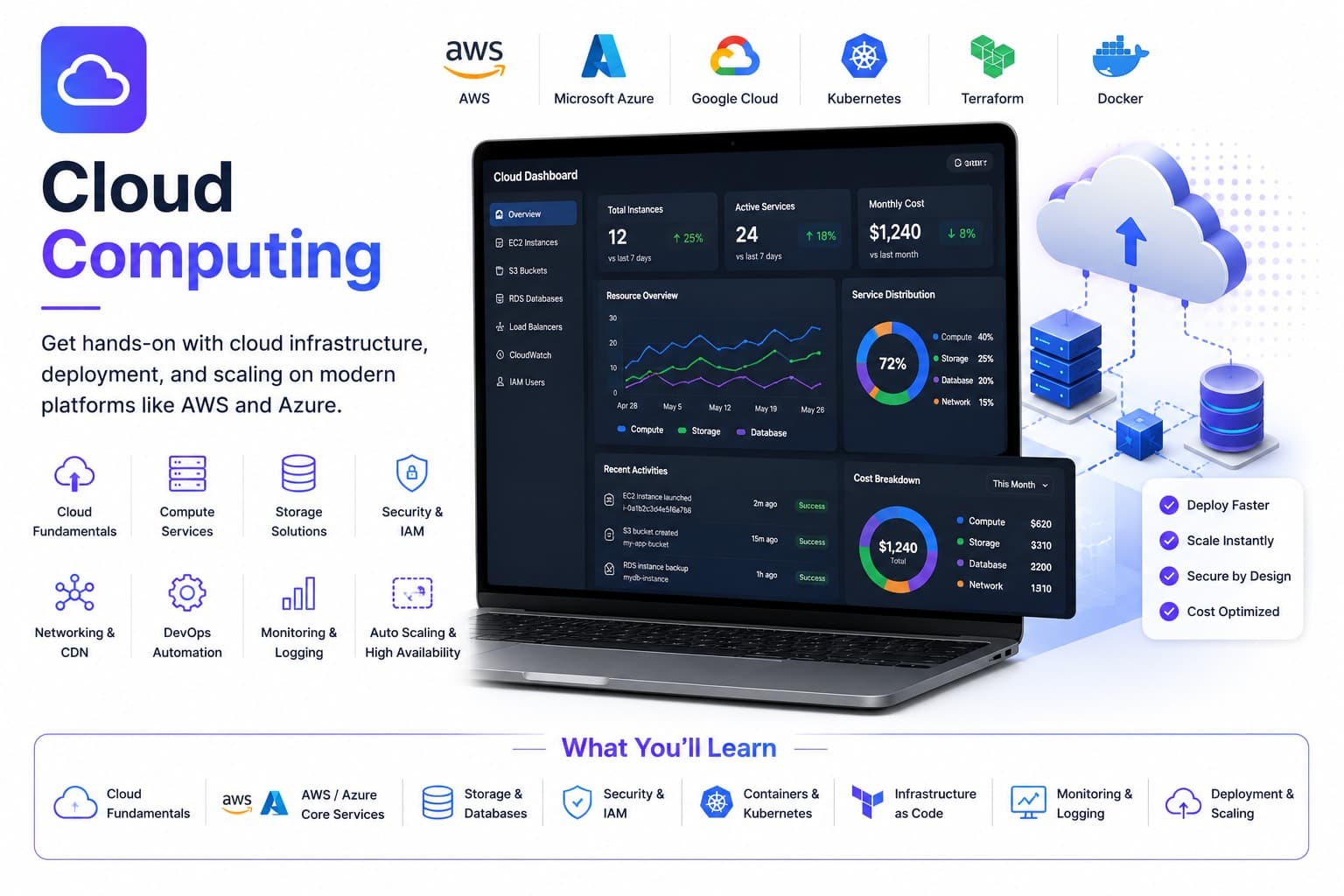
Get hands-on with cloud infrastructure, deployment, and scaling on modern platforms like AWS and Azure.
What you'll learn
Course details
Duration
6 weeks
Best for
Developers ready to deploy and scale real applications
This course is free
Course Curriculum
A module-by-module breakdown of what you'll cover in Cloud Computing.
01Getting Started & Environment Setup
4 topicsWeek 1
- Setting up free-tier AWS and Azure accounts
- Installing the Terraform CLI
- Installing Docker Desktop and kubectl
- Verifying access with a basic CLI command against each cloud
02Basic
4 topicsWeek 2
- Linux command line, shell scripting, and file permissions
- TCP/IP, DNS, and SSH-based remote administration
- Core AWS and Azure services: compute, storage, and networking
- IAM roles, security groups, and least-privilege access design
03Intermediate
4 topicsWeek 3
- HCL syntax, providers, and reusable modules
- Remote state management and backends
- Variables, outputs, and workspaces
- Team workflows with Terraform Cloud/CLI and pull-request reviews
04Advanced
4 topicsWeek 4
- Writing efficient multi-stage Dockerfiles and managing registries
- Pods, Deployments, Services, ConfigMaps, and Secrets
- Packaging applications with Helm charts
- Deploying to local and managed Kubernetes clusters
05Pro
11 topicsWeek 5
- Pipeline-as-Code and Build/Test/Deploy Stages
- Artifact and Container Image Versioning
- Promoting Releases Across Dev, Staging, and Production
- Managing Secrets Safely Inside Pipelines
- Horizontal and Vertical Autoscaling Strategies
- Metrics and Dashboards with Prometheus and Grafana
- Defining SLIs/SLOs and Writing Incident Runbooks
- Service Mesh Fundamentals
- Anomaly Detection and Cost/Rightsizing Optimization Across Clouds
- Security Scanning: SAST/DAST, Container Image, and Secrets Scanning
- Compliance Baselines and Vulnerability Triage Workflows
06AI Pro
3 topicsWeek 6
- Using Claude, ChatGPT, and Perplexity for Cloud Infrastructure Work
- Verifying AI-Suggested Cloud Infrastructure Before Applying It
- Project: AI-Assisted Infrastructure Authoring with Permission and Cost Verification
Tools & Technologies
Hands-on practice with the same tools used by working professionals.
Real-Time, Industry-Based Projects
This is project-based learning modeled on real industry scenarios — you'll build portfolio-ready work as you go, not just watch lectures.
Every course includes a guided internship on top of your project work — so you graduate with real experience, not just a certificate.
Communication & Soft Skills
Built into every course, alongside the technical curriculum.
Communication Skills
Practice explaining technical work clearly to teammates, managers, and clients.
Practical AI Skills
Hands-on training in using AI tools well — prompting, everyday workflows, and where AI actually helps versus where it doesn't.
Teamwork & Collaboration
Work in small project teams using real workflows like stand-ups and code reviews.
Problem Solving
Build the habit of breaking down ambiguous problems into clear, solvable steps.
Time Management
Learn to plan, prioritize, and deliver project work against realistic deadlines.
Presentation Skills
Present your project work and results with confidence, as you would to a client.
Resume & Profile Building
Build a strong resume, LinkedIn profile, and project portfolio that recruiters notice.
Interview Preparation
Mock interviews and portfolio reviews to get you ready for real job applications.
Career & Placement Support
100% of students enrolled in Cloud Computing get full access to placement support — real tools and guidance, not just a promise. This is support and access, not a guaranteed job outcome.
Resume Builder
A resume auto-built from your real completed projects and certificates, ready to export.
Shareable Portfolio
A public portfolio page showcasing your approved projects, with a link you can share with employers.
Interview Preparation
Guidance on presenting your projects and experience clearly in real interviews.
Peer & Mentor Community
Ongoing access to our learner community for questions, feedback, and support after you finish.
What Your Certificates Look Like
Real, verifiable certificates with your name, Cloud Computing, and a QR code anyone can scan to confirm they're genuine — one for completing the course, and a separate one if you take the internship track. Earning a certificate is free. To view, download and share it, there's a one-time ₹100 release fee per certificate — the same for free-course, paid-course and internship certificates.
Course Completion Certificate

 Data24Zone
Certificate of Completion · Free Course
Illustrative recipient
Your Name Here
Example certificate for completion of
Cloud Computing
- Certificate No.
- D24-SAMPLE
- Mode
- Self-Paced
- Duration
- 6 weeks
- Example issue date
- On completion
Sample only — not a real, issued certificate.
Verification is available only on issued certificates.
Internship Completion Certificate
Data24ZoneCertificate of Internship
Illustrative recipient
Your Name Here
Example certificate for completion of
Cloud Computing
- Certificate No.
- D24-SAMPLE
- Mode
- Internship
- Duration
- 6 weeks
- Example issue date
- On completion
Sample only — not a real, issued certificate.
Verification is available only on issued certificates.
Frequently Asked Questions
What will I learn in the Cloud Computing course?
You'll learn: Core cloud concepts across AWS, Azure, and GCP; Deploying and scaling applications in the cloud; CI/CD pipelines for automated deployments; Monitoring, cost management, and security basics.
What tools and technologies does the Cloud Computing course cover?
This course covers: Linux, AWS & Azure, Terraform, Docker & Kubernetes, GitHub Actions, Prometheus & Grafana, Snyk / Checkov, ChatGPT, Claude, Perplexity.
Is the Cloud Computing course beginner-friendly?
This is a intermediate-level course, so it assumes some prior familiarity with the subject. It starts with a "Getting Started & Environment Setup" module covering tool installation before the main curriculum.
How long does the Cloud Computing course take to complete?
The course is designed to be completed in approximately 6 weeks, depending on your pace.
What enrollment options are available for Cloud Computing?
Project Training Track (₹1,499) — One defined learning project and 2 review sessions; no employment or stipend included. Self-Paced (₹1,999) — Learn anytime with the full recorded curriculum and community access.
Is there an internship option for Cloud Computing?
Yes — the Internship track means working through real projects with our team and earning a separate Internship Certificate.
Will I get a certificate after completing Cloud Computing?
Yes. Self-paced enrollment earns a course completion certificate once your final project is reviewed and approved. Internship enrollment earns an internship certificate once your internship projects are approved. Every certificate is publicly verifiable on our website and can be added directly to your LinkedIn profile. Earning it is free; releasing it to view, download and share is a one-time ₹100 fee per certificate.
What kind of projects will I build in Cloud Computing?
You'll work on real projects such as: Multi-tier web app on AWS & Azure — provision a load-balanced web, app, and database tier from one Terraform codebase across two clouds; Kubernetes microservices deployment — containerize a multi-service app and deploy it via Helm with rolling updates; CI/CD pipeline with automated testing — build a pipeline that lints, tests, builds, and deploys to staging on every merge; Observability stack with alerting — instrument a service with Prometheus/Grafana dashboards and page on SLO breach; DevSecOps pipeline with security gates — add SAST, dependency, and container scanning that blocks merges on critical findings.
Is placement support included with Cloud Computing?
Yes — every enrolled student gets full access to our placement support: resume building, a shareable project portfolio, mock interview preparation, and guidance applying what you've built to real job applications. This is support and access, not a guaranteed job outcome — how quickly it leads to an offer depends on the market and your own effort.