AI Developer
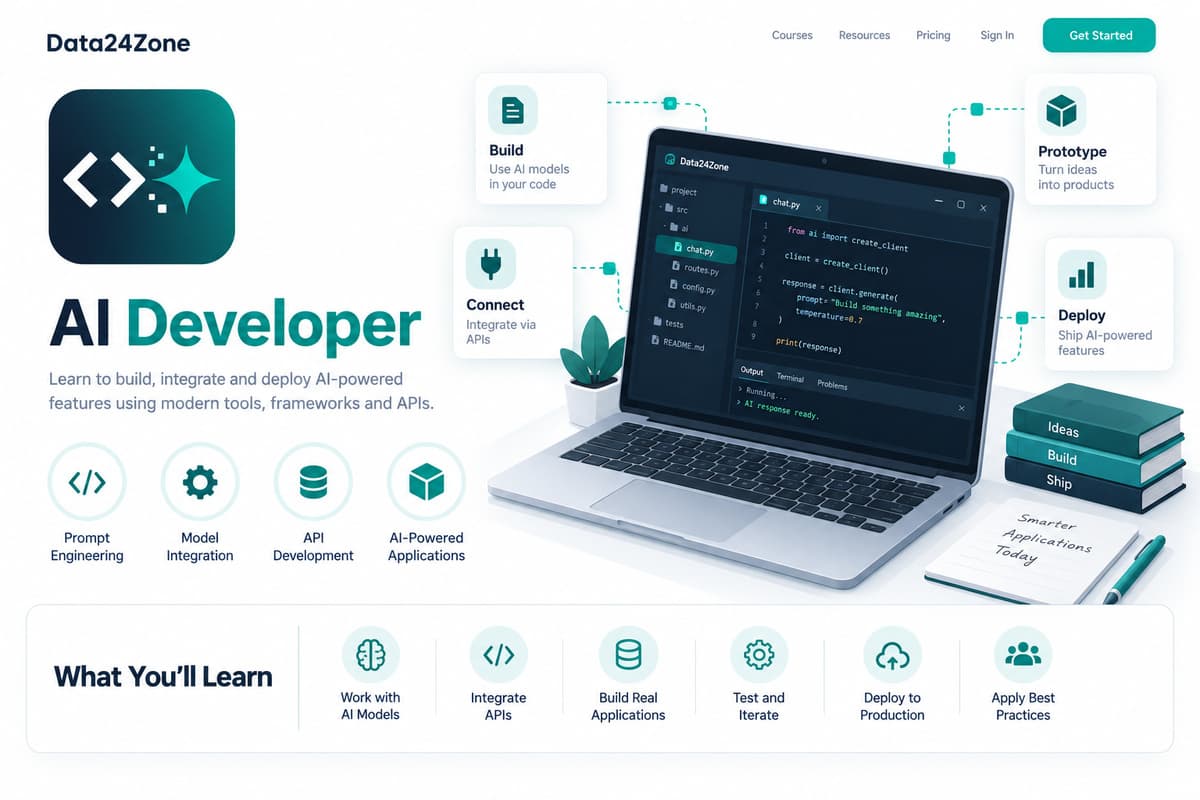
AI Developer is a 10-week course teaching you to build production AI-powered applications end-to-end — integrating Claude, GPT, and Gemini APIs into full-stack apps, designing features like chat, search, and content generation, and evaluating, testing, and deploying them safely — for full-stack developers specializing in AI-powered product features.
Learn to build production AI-powered applications end-to-end — integrating Claude, GPT, and Gemini APIs into full-stack apps, with proper testing, evaluation, and deployment.
What you'll learn
Course details
Duration
10 weeks
Best for
Full-stack developers who want to specialize in building AI-powered product features
Enrollment isn't open for this course yet — check back soon or contact us.
Course Curriculum
A module-by-module breakdown of what you'll cover in AI Developer.
01Getting Started & Environment Setup
4 topicsWeeks 1–2
- Getting API access to Claude, OpenAI, and Gemini
- Installing LangChain
- Setting up a Next.js or FastAPI starter project
- Creating a free vector database account
02Basic
5 topicsWeek 3
- Comparing Claude, GPT, and Gemini APIs
- Building a provider abstraction layer
- Fallback strategies across providers
- Cost and latency tradeoffs
- Handling API keys securely: server-side proxying for AI features
03Intermediate
6 topicsWeeks 4–5
- Chat interfaces and streaming responses
- AI-assisted semantic search
- Content generation with human review
- UX patterns for AI-powered features
- Function/tool calling: letting the model invoke your app's APIs
- Retry, backoff, and rate limit handling for AI API calls
04Advanced
5 topicsWeeks 6–7
- Building evaluation datasets
- Objective output scoring
- Safety and bias testing
- Prompt regression testing
- Testing AI-powered components in CI: mocked and golden-file tests
05Pro
6 topicsWeek 8
- Production deployment patterns for AI features
- Usage and cost monitoring
- Graceful provider outage handling
- Safe prompt versioning
- Multimodal input handling: images, files, and voice in AI features
- Feature flags and gradual rollout for AI-powered features
06AI Pro
3 topicsWeeks 9–10
- Using Claude, ChatGPT, and Perplexity to accelerate AI feature development
- Verifying AI-suggested integration code and architecture decisions
- Project: Use AI to build a streaming feature, then test its error paths
Tools & Technologies
Hands-on practice with the same tools used by working professionals.
Real-Time, Industry-Based Projects
This is project-based learning modeled on real industry scenarios — you'll build portfolio-ready work as you go, not just watch lectures.
Every course includes a guided internship on top of your project work — so you graduate with real experience, not just a certificate.
Communication & Soft Skills
Built into every course, alongside the technical curriculum.
Communication Skills
Practice explaining technical work clearly to teammates, managers, and clients.
Practical AI Skills
Hands-on training in using AI tools well — prompting, everyday workflows, and where AI actually helps versus where it doesn't.
Teamwork & Collaboration
Work in small project teams using real workflows like stand-ups and code reviews.
Problem Solving
Build the habit of breaking down ambiguous problems into clear, solvable steps.
Time Management
Learn to plan, prioritize, and deliver project work against realistic deadlines.
Presentation Skills
Present your project work and results with confidence, as you would to a client.
Resume & Profile Building
Build a strong resume, LinkedIn profile, and project portfolio that recruiters notice.
Interview Preparation
Mock interviews and portfolio reviews to get you ready for real job applications.
Career & Placement Support
100% of students enrolled in AI Developer get full access to placement support — real tools and guidance, not just a promise. This is support and access, not a guaranteed job outcome.
Resume Builder
A resume auto-built from your real completed projects and certificates, ready to export.
Shareable Portfolio
A public portfolio page showcasing your approved projects, with a link you can share with employers.
Interview Preparation
Guidance on presenting your projects and experience clearly in real interviews.
Peer & Mentor Community
Ongoing access to our learner community for questions, feedback, and support after you finish.
What Your Certificates Look Like
Real, verifiable certificates with your name, AI Developer, and a QR code anyone can scan to confirm they're genuine — one for completing the course, and a separate one if you take the internship track. Earning a certificate is free. To view, download and share it, there's a one-time ₹100 release fee per certificate — the same for free-course, paid-course and internship certificates.
Course Completion Certificate

 Data24Zone
Certificate of Completion
Illustrative recipient
Your Name Here
Example certificate for completion of
AI Developer
- Certificate No.
- D24-SAMPLE
- Mode
- Self-Paced
- Duration
- 10 weeks
- Example issue date
- On completion
Sample only — not a real, issued certificate.
Verification is available only on issued certificates.
Internship Completion Certificate
Data24ZoneCertificate of Internship
Illustrative recipient
Your Name Here
Example certificate for completion of
AI Developer
- Certificate No.
- D24-SAMPLE
- Mode
- Internship
- Duration
- 10 weeks
- Example issue date
- On completion
Sample only — not a real, issued certificate.
Verification is available only on issued certificates.
Frequently Asked Questions
What will I learn in the AI Developer course?
You'll learn: Integrating multiple LLM providers (Claude, GPT, Gemini) into an application; Designing AI-powered features: chat, search, content generation; Evaluating and testing AI feature quality and safety; Deploying and monitoring AI features in production.
What tools and technologies does the AI Developer course cover?
This course covers: Claude API, OpenAI API, Gemini API, LangChain, FastAPI / Next.js, Vector databases, GitHub Copilot, Perplexity.
Is the AI Developer course beginner-friendly?
This is a intermediate-level course, so it assumes some prior familiarity with the subject. It starts with a "Getting Started & Environment Setup" module covering tool installation before the main curriculum.
How long does the AI Developer course take to complete?
The course is designed to be completed in approximately 10 weeks, depending on your pace.
What enrollment options are available for AI Developer?
Project Training Track (₹1,499) — One defined learning project and 2 review sessions; no employment or stipend included. Self-Paced (₹1,999) — Learn anytime with the full recorded curriculum and community access.
Is there an internship option for AI Developer?
Yes — the Internship track means working through real projects with our team and earning a separate Internship Certificate.
Will I get a certificate after completing AI Developer?
Yes. Self-paced enrollment earns a course completion certificate once your final project is reviewed and approved. Internship enrollment earns an internship certificate once your internship projects are approved. Every certificate is publicly verifiable on our website and can be added directly to your LinkedIn profile. Earning it is free; releasing it to view, download and share is a one-time ₹100 fee per certificate.
What kind of projects will I build in AI Developer?
You'll work on real projects such as: Multi-provider AI chat feature with provider fallback; AI-powered content generation tool with human review workflow; Evaluation suite comparing output quality across Claude/GPT/Gemini for a specific task; Production-deployed AI feature with usage monitoring and cost tracking.
Is placement support included with AI Developer?
Yes — every enrolled student gets full access to our placement support: resume building, a shareable project portfolio, mock interview preparation, and guidance applying what you've built to real job applications. This is support and access, not a guaranteed job outcome — how quickly it leads to an offer depends on the market and your own effort.